
IGSN#
Note
IGSN support is still under development. This page is a work in progress.
What is IGSN?#
IGSN stands for International Generic Sample Number. It is a globally unique identifier that labels physical samples—primarily used in the Earth and environmental sciences. Think of it like a DOI (Digital Object Identifier) but for rocks, sediment cores, soil samples, or any tangible material collected or manufactured for research. We adopted IGSN in the HTMDEC Data Management System as a way to uniquely identify samples in the project to allow referencing materials in publications and serve as a binding mechanism for the entire digital footprint of the sample.
How to use IGSN in HTMDEC#
Note
IGSN are currently not officially minted by DataCite. Every IGSN in HTMDEC is a draft.
There are two ways to issue IGSN in HTMDEC:
manually create an IGSN for a sample using a provided UI
automatically create an IGSN with forms submission
The manual method is available to all HTMDEC users. It is a simple process that requires the user to provide general information about the sample, such as type of material, institution, name and description of the sample.
The automatic creation of IGSNs is the preferred method, as it ensures that the IGSN is richly described and linked to form entries, files, and sample tracker. However, this method required dedicated assistance from the HTMDEC team. If you are interested in this option, please contact us.
Manual IGSN creation#
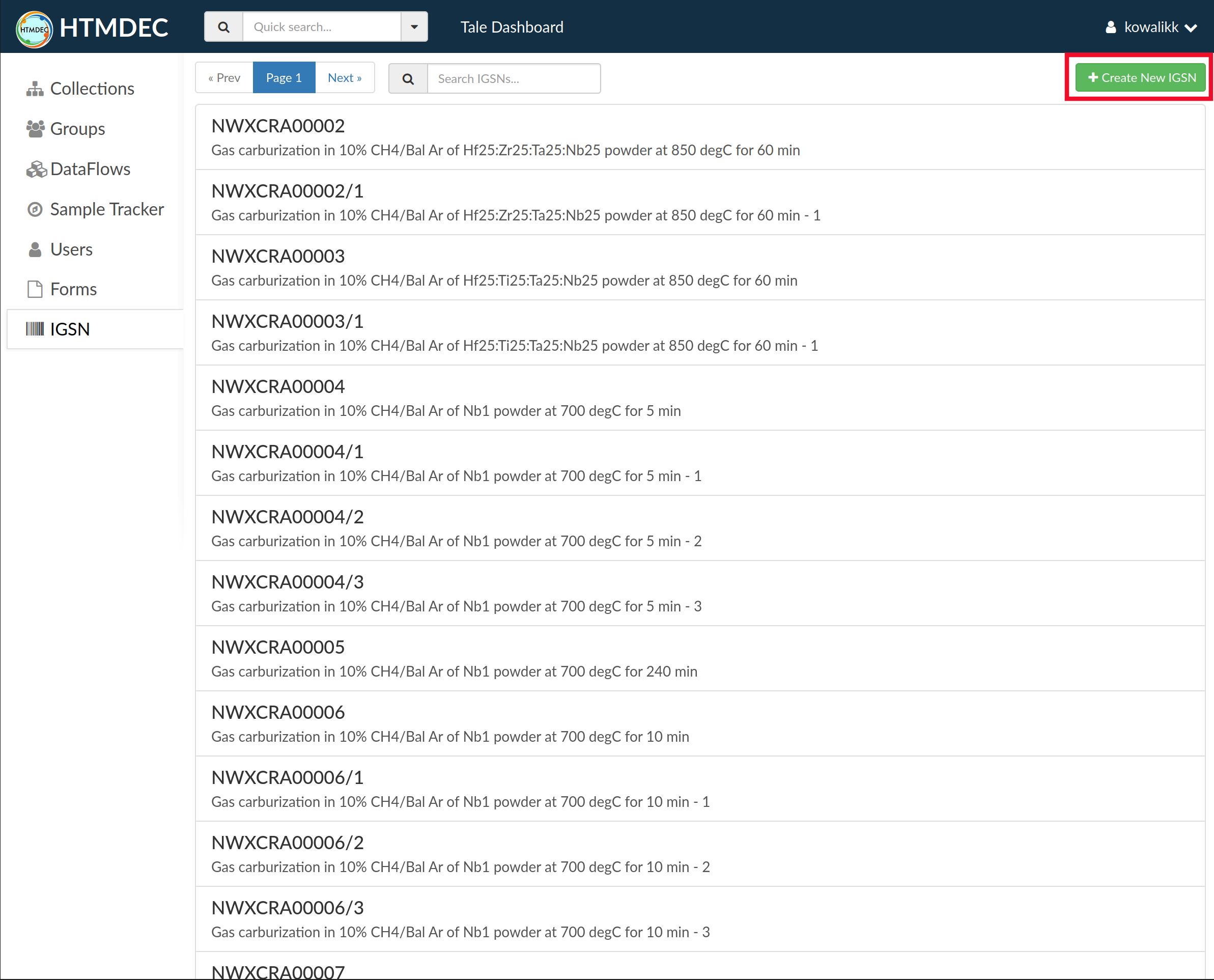
After signing in to your account, select the “IGSN” tab from the left-hand menu to view the list of currently registered IGSNs:

Select the ‘Create New IGSN’ button (green button with a white plus at top right corner) to register a new IGSN:
This will open a form where you can enter the necessary information:
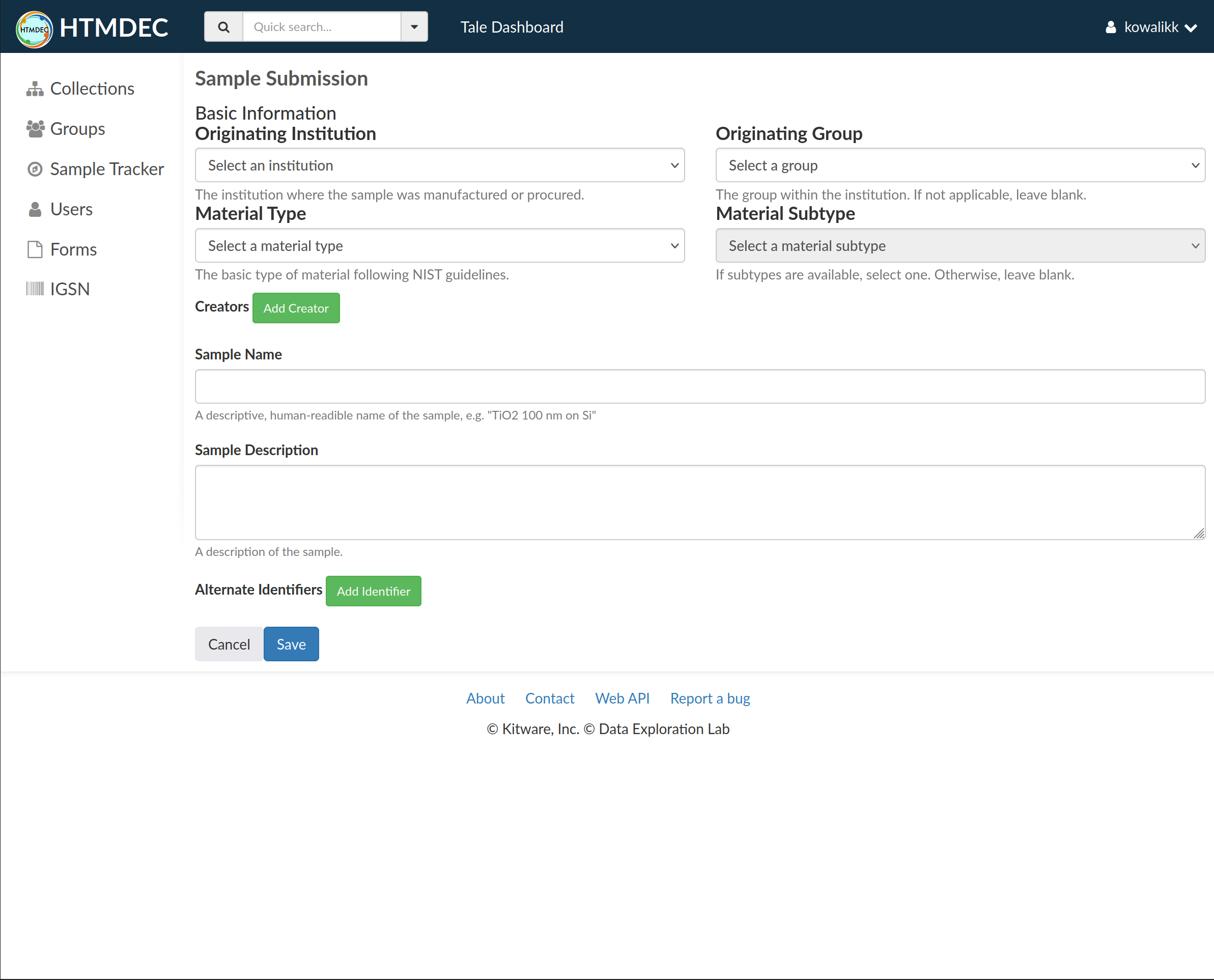
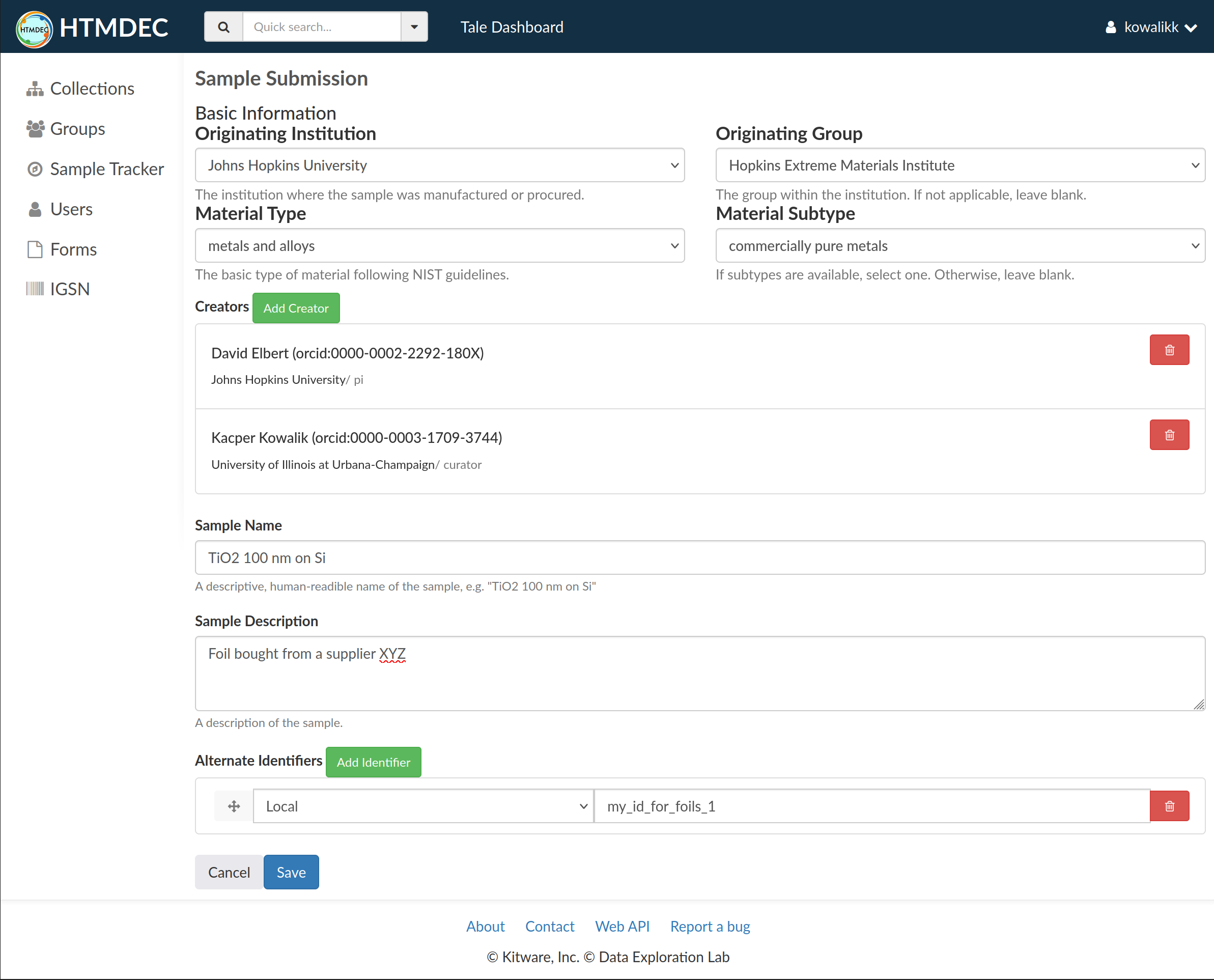
IGSN id is automatically generated based on four fields:
Institution: the institution that is responsible for the sample manufacturing or procurement
Group: Optionally a specific group within the institution
Material Type: the type of material that the sample is made of following Materials Data Vocabulary
Material Sub-type: Optionally a more specific type of material that the sample is made of following Materials Data Vocabulary
The IGSN id is generated by assigning 2 letter code for the institution, one letter for the group, and 2 letters for the material type and one letter sub-type. Then 0-padded, consecutive integer is assigned for a given combination of the above fields, resulting in a unique identifier that looks like this:
IGSN: JHACRA00005
Once the IGSN is created those fields are no longer editable. The IGSN id is immutable and cannot be changed. In case where a particular material sample contains multiple pieces and optional sub-identifier can be added to the to main IGSN
IGSN: JHACRA00005-1
IGSN: JHACRA00005-S2R4C5
Currently there is not strict schema for sub-identifier, but it is recommended to use a simple numbering scheme or a combination of letters and numbers that identifies the piece in a meaningful way.
Note
Manual procedure currently does not support adding a sub-identifier.
Apart from IGSN id, at minimum, the following fields are required to create an IGSN:
Sample Name: a short name for the sample, should be brief but descriptive and human-readable, e.g. “SiC ceramic powder”
We strongly encourage to provide as much information as possible about the sample, including:
Creators: should list “the main researcher(s) involved…in priority order.”, this could include the sample collector/creator, chief scientist, curator, or even the person who deposited the sample into a repository.
Sample Description: a longer description of the sample, should be detailed and informative, e.g. “SiC ceramic powder with 10% porosity, 5-10 microns grain size, produced by XYZ company. Underwent treatment at 1000C for 1h in …”
Alternate Identifiers: any other identifiers that are used to reference the sample, e.g. internal lab id, or a DOI of a publication that describes the sample.
After clicking the “Save” button, the IGSN will be created and added to the list of registered IGSNs:
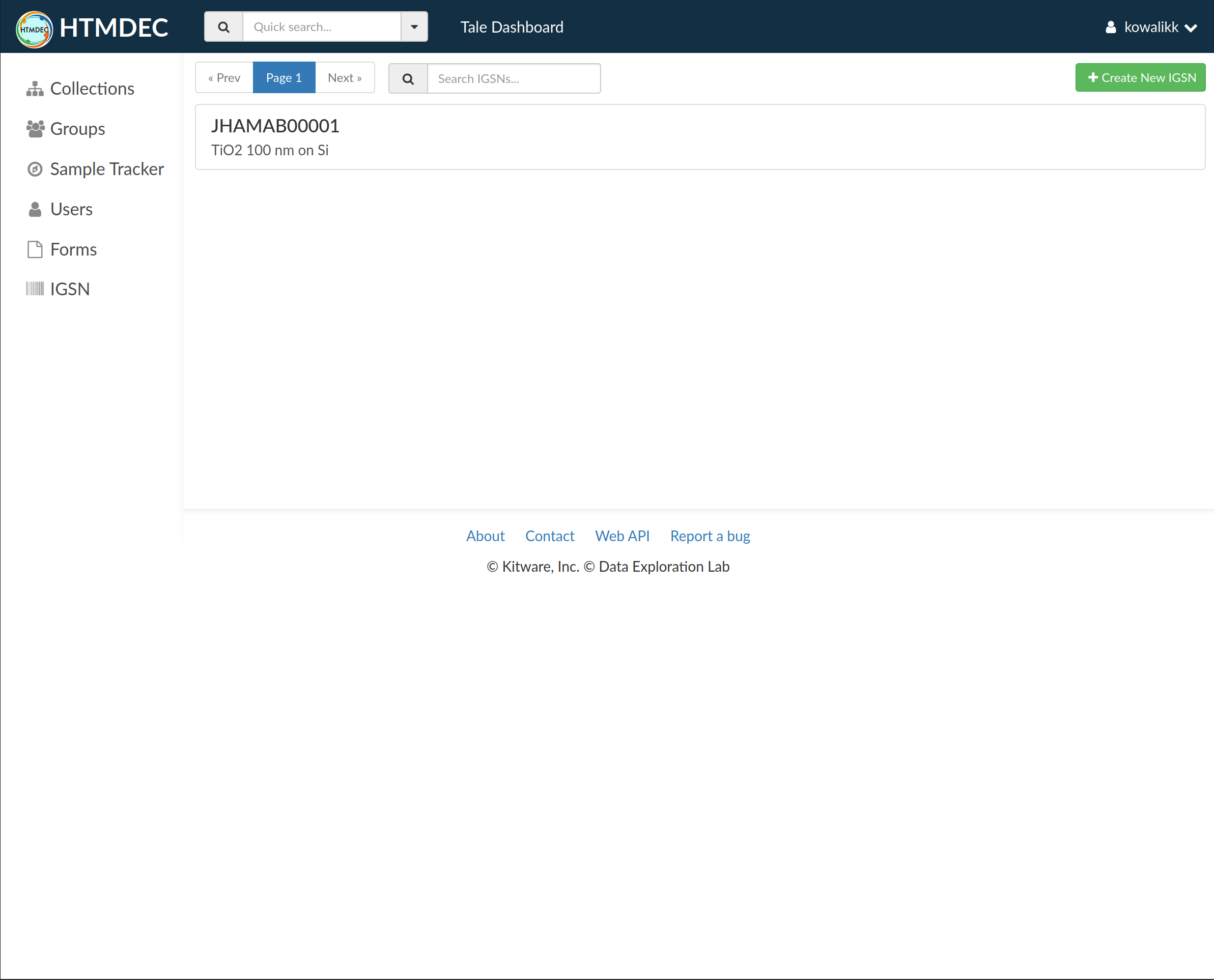
List of IGSNs can be browsed using pagination controls at the top of the list. The list can be filtered by using a search field next to the pagination controls. Search performs a full-text search on the following fields: IGSN ID, Sample Name, Sample Description, and Alternate Identifiers.
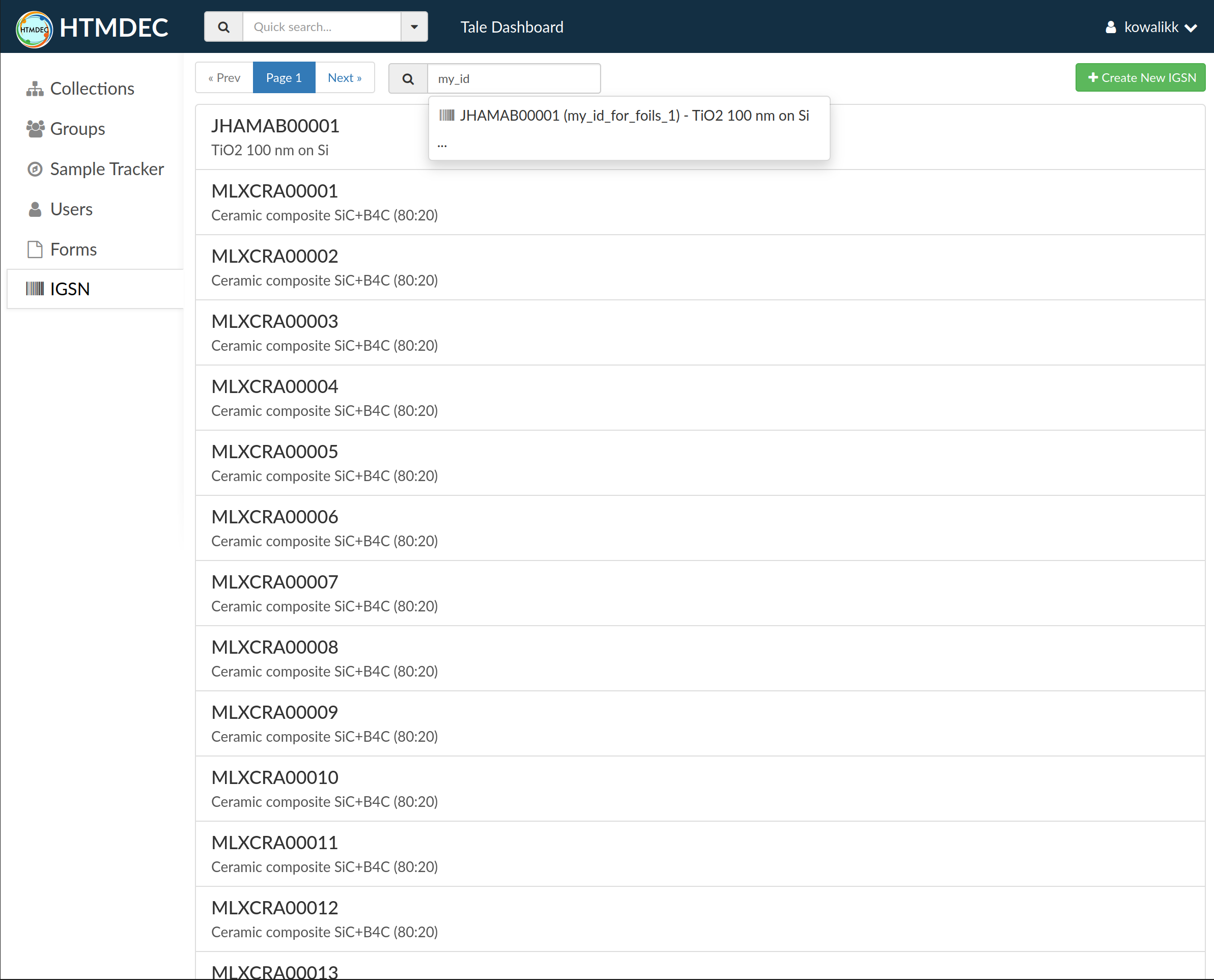
Selecting and clicking an IGSN from the list will open the IGSN landing page:
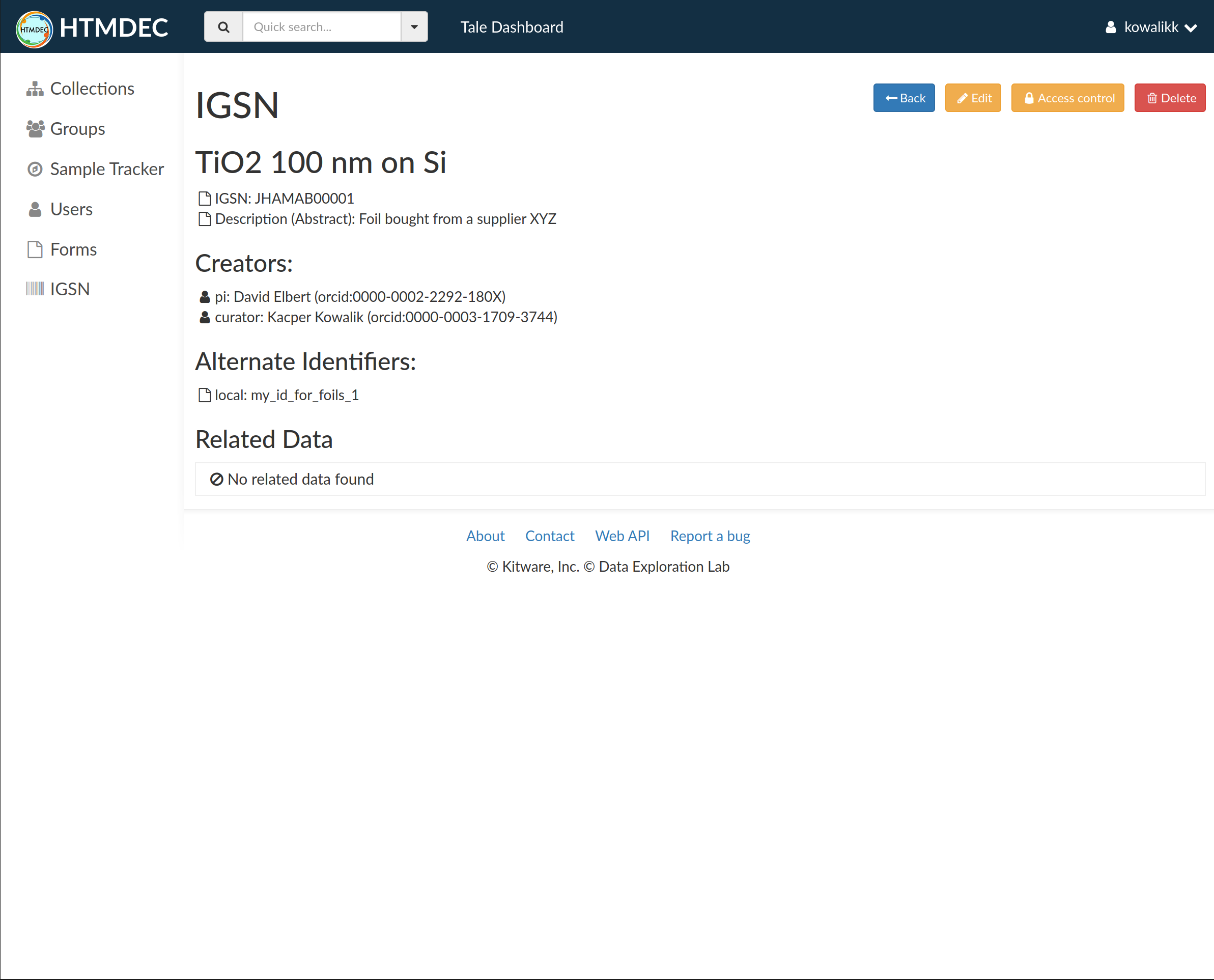
Access to the IGSN landing page is controlled by the “Access control” button. Metadata associated with the IGSN can be changed by clicking the “Edit” button. The IGSN can be deleted by clicking the “Delete” button.
Note
Deleting an IGSN does not free the number used for the IGSN. The number is permanently reserved and cannot be used again.
Automatic IGSN creation#
IGSN can be automatically created when submitting a form. This is the preferred method as it ensures that the IGSN is richly described and linked to form entries, files, and sample tracker.

Files associated with the IGSN link back to the IGSN landing page:

This can be manually achieved by adding igsn metadata key with the IGSN id to the file metadata.