
Peer Review Access#
When you submit a manuscript, a journal will often ask for the underlying data. Peer review access lets you hand a whole collection to reviewers who have no HTMDEC DMS account, using a single access key, without making the data public and without creating accounts for people whose names you may not even know.
The key gives its holder read-only access to one collection. You can revoke it at any time, and access stops immediately.
Requesting a review — for the person who owns the data
Reviewing a collection — for the reviewer
Note
You need Admin permission on a collection to put it under review. See Managing permissions if the option described below does not appear.
Requesting a review#
Open the collection you want reviewed and select the Actions button, then Manage review:
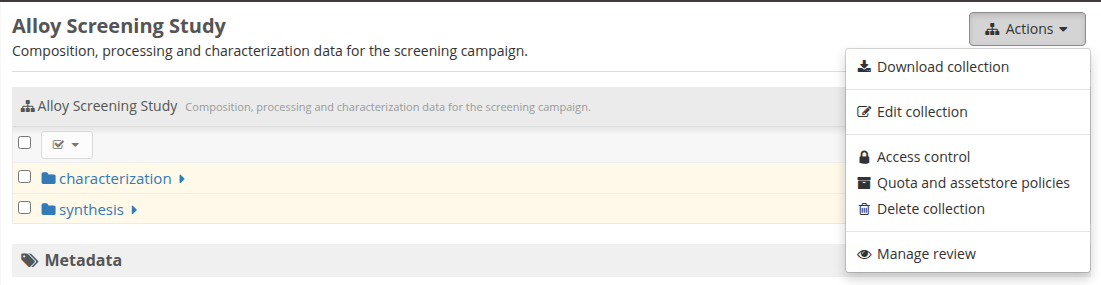
This opens the Review window. A collection that has never been reviewed starts empty:
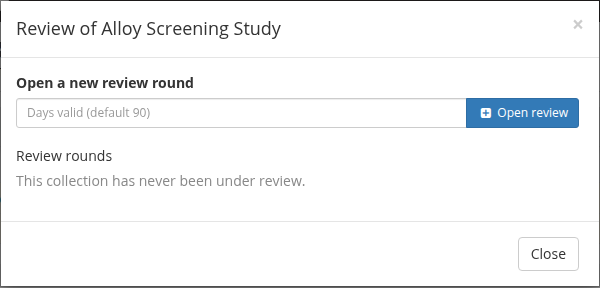
Optionally enter how many days the key should stay valid — leave it blank for the default of 90 days — then select the Open review button.
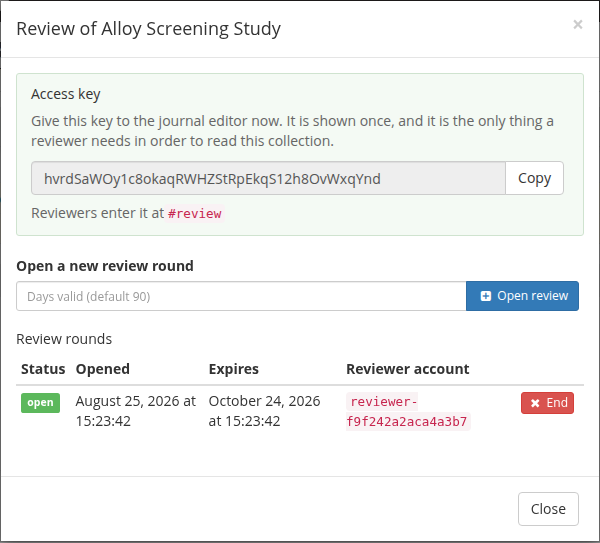
The access key is shown once, at the top of the window:
Warning
Copy the key now and send it to the journal editor. It is not shown again, and there is no way to look it up later. If you lose it, end the review round and open a new one.
Anyone holding the key can read the collection, so treat it like a password: send it through the journal’s submission system or another channel you trust, rather than posting it somewhere public.
Each round is listed in the Review rounds table with its status, when it was opened, when it expires, and the name of the throwaway reviewer account that was created for it. You can open more than one round — for example, one key per journal — and end them independently.
While a review is open#
You can keep working normally. Folders and files you add to the collection while a review is open become visible to reviewers automatically, including folders you move in from elsewhere. Anything you move out of the collection stops being visible.
Reviewers cannot change anything, so there is no risk of a review session altering your data.
Ending a review#
Select the End button next to an open round and confirm:
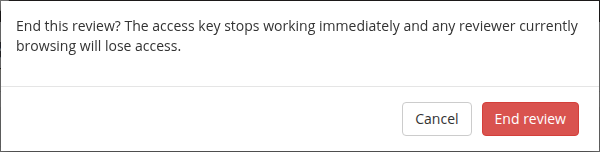
Ending a review takes effect immediately: the key stops working, any reviewer with the page open loses access, the reviewer’s permissions are removed from every folder in the collection, and the throwaway account is deleted. A round also ends by itself once it expires.
Ending a review does not touch your data, and it can be done more than once safely.
Reviewing a collection#
If you have been given an access key, go to https://data.htmdec.org/#review and enter it:
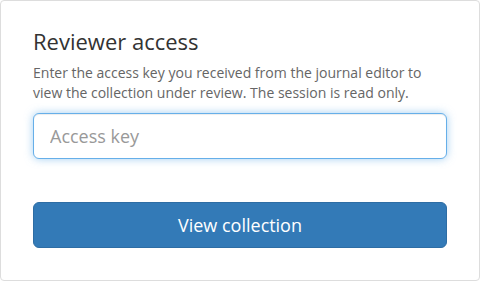
You do not need an HTMDEC DMS account, and you do not need to register. The key is all that is required.
Note
If you are already signed in to the HTMDEC DMS in the same browser, starting a review session replaces that sign-in. Use a private or incognito window to keep both.
After entering the key you see the collection under review, with the folders it contains:

Select a folder to open it, and keep going to reach the files. Selecting a file downloads it; selecting an item shows what it contains:

You can also download a whole folder or the entire collection as a ZIP archive, from the actions menu at the right-hand end of the toolbar.
Select Back to collection to return to the folder listing, and Exit review in the top right when you are finished. Your session also ends on its own when the key expires or the data owner ends the review, at which point the page tells you so:
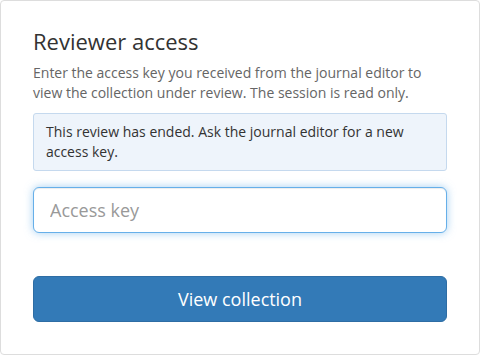
If that happens while you are still reviewing, ask the journal editor for a new key.
What reviewers can and cannot do#
A review session can:
browse every folder and item in the collection under review
view and download individual files
download a folder or the whole collection as an archive
A review session cannot:
change, add, delete or rename anything, anywhere in the HTMDEC DMS
see any other collection that is not already public
see who else has access to the collection, or change permissions
sign in to the HTMDEC DMS as a normal user — the account behind the key has no password
The review page deliberately has no navigation bar. It shows one collection and nothing else, so a reviewer is never presented with parts of the system they have no reason to see.